Using the BARC Website

Finding Your Way Around

A few things about the site's navigation that are worth knowing:

  • The top menu has dropdowns. Hover over (or tap, on mobile) "Home," "Events & Programs," or "Resources" to see a list of sub-pages open underneath.
  • "Events & Programs" has a wider menu with two columns — "On the Air" activities (Repeaters, POTA, Digital Radio, Contesting, etc.) on one side, "Club Programs" (Field Day, Tech Night, Presentations, etc.) on the other.
  • Most content pages have their own left-hand sidebar with related pages grouped together. If you're looking for something related to the page you're on, check the sidebar first.
  • Breadcrumbs (the small "Home › Section › Page" trail at the top of most pages) show you where you are and let you jump back up a level.
  • On mobile, the top menu collapses into a hamburger icon (☰) in the upper right — tap it to open the full navigation.

Downloading Documents

Club Presentations

The Presentations & Documents page (under Events & Programs → Club Programs) has a searchable library of past club presentations, organized into categories like Field Day, Antennas, Digital Modes, and more.

  • Use the search box at the top to find something by title or presenter name.
  • Click any category heading to expand or collapse that group.
  • Each document has a PDF button — click it to open the file in a new tab.
Newsletter (Full Quieting)

The Newsletter page always shows the current issue front and center, plus the 5 most recent issues below it. Each issue has two options:

  • Read Online — opens the PDF in a new browser tab
  • Download — saves the PDF directly to your device

There's also a highlighted Article Index link in the sidebar — a spreadsheet listing every article that's ever run in Full Quieting.

Club Documents

Bylaws, officer info, and other official club documents live under Home → About BARC in the top menu, with their own sidebar to move between them.

Submitting a Presentation

Have an idea for a Tech Night topic or a monthly meeting presentation? On the Presentations & Documents page, look for "Submit a Topic" in the sidebar. Clicking it opens a short form right on the page — fill in your name, callsign, presentation title, and a bit about what you'd like to cover, and it goes straight to the Programs Coordinator.

Logging In & Passwords

🔧 Coming soon. A full member login area — with password management, an online member directory, and profile settings — is planned as the next phase of the website project. It isn't live yet. We'll announce it once it's ready.

For Officers: Creating a Post

If you've been given an account with posting access, here's how to publish something to the site:

  1. Go to bellbrookarc.org/wp/wp-admin and log in with your username and password.
  2. In the left-hand menu, click Posts → Add New.
  3. Give your post a title, then write your content in the main box below it.
  4. To add a photo, click the + button in the content area and choose Image.
  5. On the right-hand side, assign a Category and set a Featured Image.
  6. Click Publish when ready — or Preview first to check how it looks.
  7. To edit later, go to Posts → All Posts and click Edit.

Not sure if you have posting access, or need an account set up? Contact the webmaster below.


Something not working? Let us know — no detail is too small.
Doug Hayward, K8DRH — dhayward@systemspoint.com

Parks on the Air (POTA)

BARC activations at Ohio's parks and nature preserves — W8DGN
2017Program founded
76Ohio qualifying parks
10QSOs to activate a park
FreeNo entry fee — ever
What is POTA?

Amateur radio meets the great outdoors

Parks on the Air (POTA) is an international award program that encourages licensed amateurs to operate portable radio equipment from state and national parks. It combines the fun of portable operating with the rewards of outdoor exploration — and Ohio's southwest corner is an outstanding location for it.

The concept is simple: activators pack up a radio and operate from a qualifying park. Hunters work them from home or mobile stations. Both earn credits toward a growing list of awards. No complex rules, no entry fee, no barriers — just get on the air from a park.

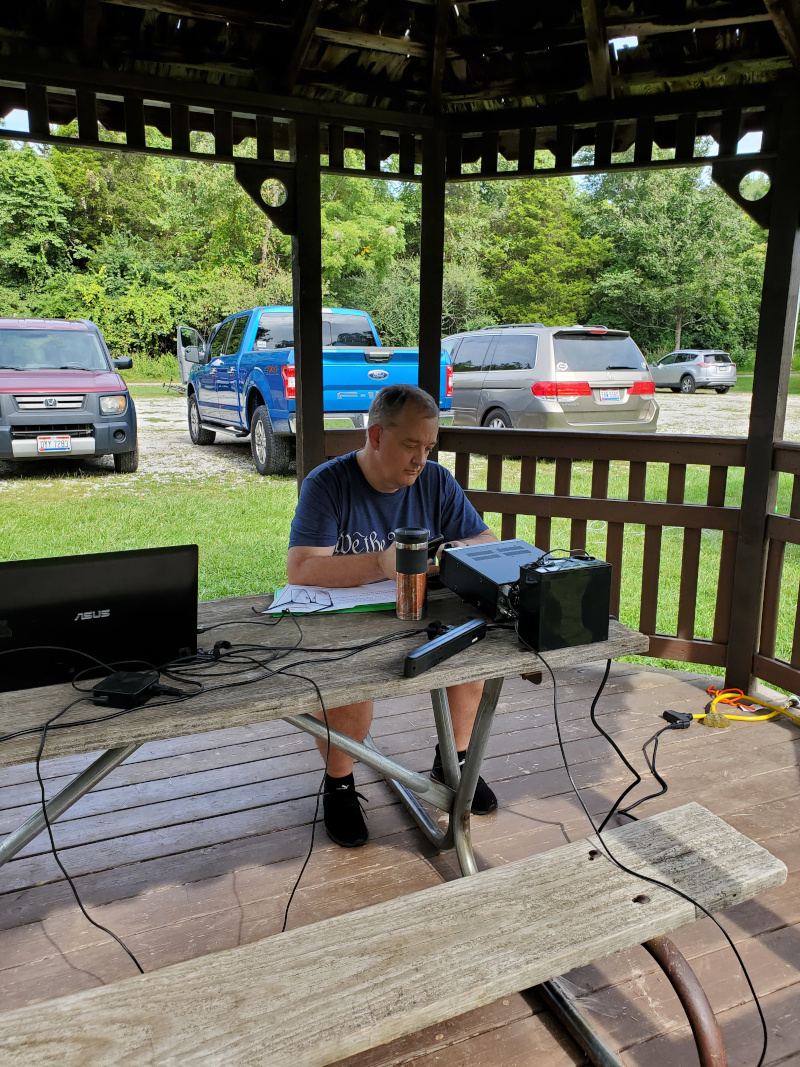
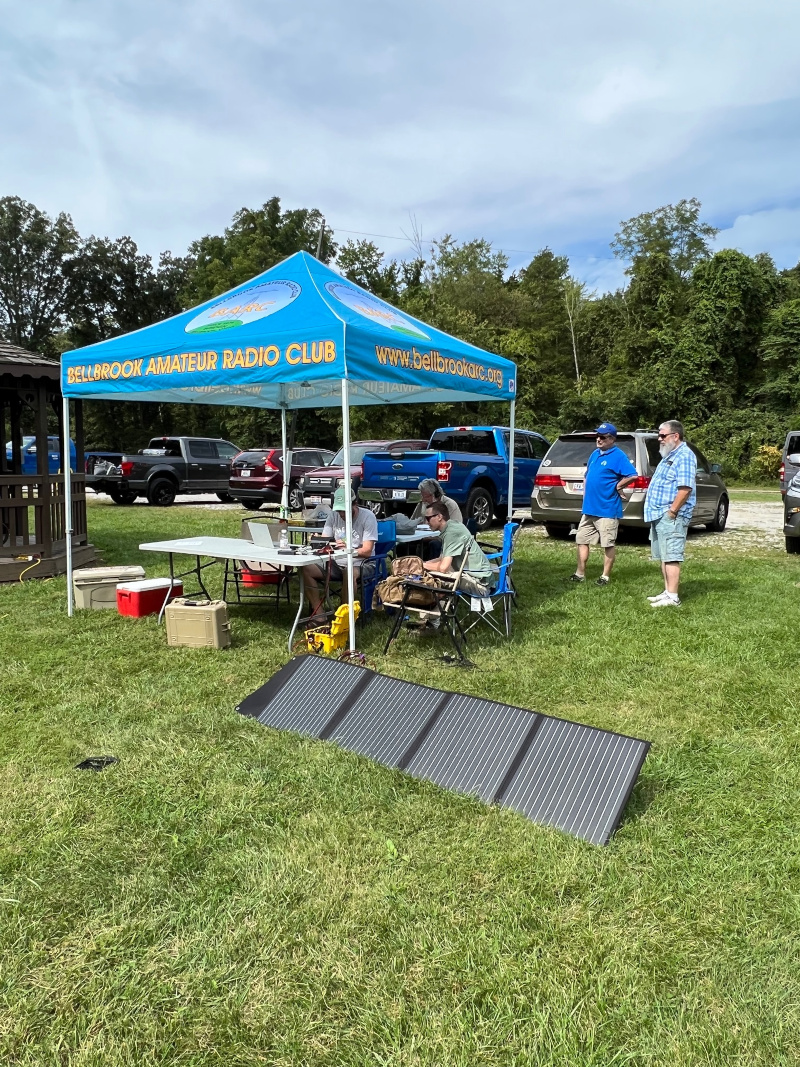
BARC members regularly activate Caesar Creek State Park, Cowan Lake, John Bryan, and other Greene County area parks. Group activations are a great club activity — everyone pitches in on antennas, logging, and operating.

Want to join a BARC activation? Contact POTA Coordinator WB8TCT at pota@bellbrookarc.org or check the club calendar for upcoming dates.
×
Two ways to play

Activator or Hunter — pick your role

Everyone participates differently in POTA. Most hams start as hunters, then graduate to activating once they're comfortable with portable operating.

🎒
Activator — go to the park

Pack up a portable station, drive to a qualifying park, set up antennas, and operate. Make at least 10 QSOs on any band or mode and you've successfully activated the park. Log them and upload to POTA.app — done.

1Choose a qualifying Ohio park on pota.app
2Post a spot so hunters know you're coming
3Set up your portable station on site
4Make 10+ QSOs — any band, any mode
5Upload your log to pota.app after
🎧
Hunter — work them from home

Monitor the POTA spotting network, tune to an active park, and make contact. Each unique park you work counts toward your hunter awards. No portable gear required — hunt from your home station.

1Create a free account at pota.app
2Check the spots page for active parks
3Tune to the activator's frequency
4Make the contact and log it
5Upload your log — awards track automatically
Ohio parks near BARC

76 qualifying parks in Ohio — here are the closest

All Ohio state parks qualify for POTA. These are the parks BARC members activate most often — all within an easy drive of Bellbrook.

Caesar Creek State Park
Waynesville · 2,830-acre lake · 43 mi of trails
~15 min away
US-1940
Cowan Lake State Park
Wilmington · 700-acre lake · Great HF site
~25 min away
US-1943
John Bryan State Park
Yellow Springs · Little Miami gorge
~20 min away
US-1964
Buck Creek State Park
Springfield · 2,120-acre lake · Good portable site
~30 min away
US-1937
Hueston Woods State Park
Oxford · Old-growth forest · Lodge & nature center
~35 min away
US-1959
Clifton Gorge SNP
Yellow Springs · Gorge and limestone cliffs
~20 min away
US-7848
Every Ohio POTA entity

Find a park — interactive map

Search all 275 Ohio POTA entities (parks, forests, wildlife areas, and more) by grid square or by a latitude/longitude range. The map and table below update together.

Loading Ohio POTA entities…
ReferenceNameTypeGrid
Getting started

What you need for a POTA activation

A typical POTA station is lightweight, battery-powered, and fits in a backpack. You don't need expensive gear — a simple QRP radio and a wire antenna will get you on the air.

Radio

HF transceiver capable of SSB, CW, or digital. Popular: Yaesu FT-891, Icom IC-705, or QRP rigs like Elecraft KX2. VHF/UHF works for local contacts too.

Power

A 12V LiFePO4 battery (10–20Ah) is lightweight and long-lasting. Solar panels work great for all-day operations. Keep it under 100W for portable use.

Antenna

A simple end-fed half-wave (EFHW) wire thrown over a tree branch is the most popular POTA antenna. Pack a fishing pole or collapsible mast as a support.

Logging

Paper log in the field (simplest), or a laptop with HAMRS, Fast Log Entry, or N3FJP. After the activation, upload your ADIF log to pota.app — awards track automatically.

Spotting

Post your spot on pota.app before you start so hunters know you're on the air. Cell signal at Ohio parks is usually adequate. The app shows active activations in real time.

Bring a friend

Group activations are more fun and make setup easier. BARC members regularly activate together — join a club activation to learn the ropes with experienced operators.

Next club activation
Caesar Creek State Park
📅 Check the club calendar for the next date  ·  📍 Caesar Creek SP, Waynesville OH · US-1940
🎙 Operating HF SSB + digital · All members welcome · Bring your portable gear or just come and watch

Upcoming Activations

DatePark / PreservePOTA RefActivatorBandsStatus
Jun 7, 2025 Clifton Gorge State Nature Preserve US-7848 WB8TCT 20m, 40m SSB Confirmed
Jun 21, 2025 Caesar Creek State Park US-1940 KE8DKC 20m FT8 / SSB Tentative
Jul 12, 2025 John Bryan State Park US-1964 TBD TBD Planning

Past Activations — 2024–2025

DateParkPOTA RefQSOsActivator(s)
Apr 19, 2025Clifton Gorge SNP US-784847 WB8TCT, KE8DKC
Mar 8, 2025Caesar Creek SP US-194031 WB8TCT
Oct 12, 2024John Bryan SP US-196452 KE8DKC, W8DGN
Aug 17, 2024Beaver Creek SP US-193528 WB8TCT

Resources

🗺
POTA Park Finder Map

Interactive map of all qualifying parks worldwide. Find Ohio parks, see recent activations, and post your own spots.

pota.app/map →
📖
ARRL POTA Getting Started Guide

Four-module course covering the POTA website, radios, antennas, and how to activate a park step by step.

learn.arrl.org →
🏆
Ohio State Parks on the Air (OSPOTA)

Ohio's own POTA contest — 76 qualifying parks in 2026, including the new Great Council SP near Xenia.

ospota.org →
🎙
Official POTA Website

Create your free account, log activations and hunts, track your awards progress, and find activators on the air right now.

parksontheair.com →
  • BARC POTA Antenna Guide
    PDF · Recommended portable antenna setups
    Download
  • Ohio Parks — POTA Reference List
    PDF · All Ohio POTA-eligible parks with ref numbers
    Download
Ready to activate your first park?
Join a BARC club activation — no experience needed. We'll help you set up, operate, and log your first contacts.